Every customer question, answered. Day and night.
Chatloom learns your business from your website and documents, then answers visitors in their own language, books calls, captures leads and brings in your team when it matters.
Free plan · No credit card · Live on your site in minutes
One chatbot for every conversation. Support, sales and your team, on every page of your site.
Support
Answers questions from your own website, files and Q&A, around the clock and in your customer's language.
Sales
Captures leads, books calls straight into your calendar and sends them to your CRM or a spreadsheet.
Your team
Brings in a person when it matters: live chat, WhatsApp or a ticket in your helpdesk, with an alert either way.
Inside Chatloom
Everything you need in one place. Click through the real product.
Learns your business in minutes
- Paste your website: it reads every page and builds a profile of your business
- Add files, Notion, Google Drive and Q&A for anything else
- See everything it learned, and refresh it any time
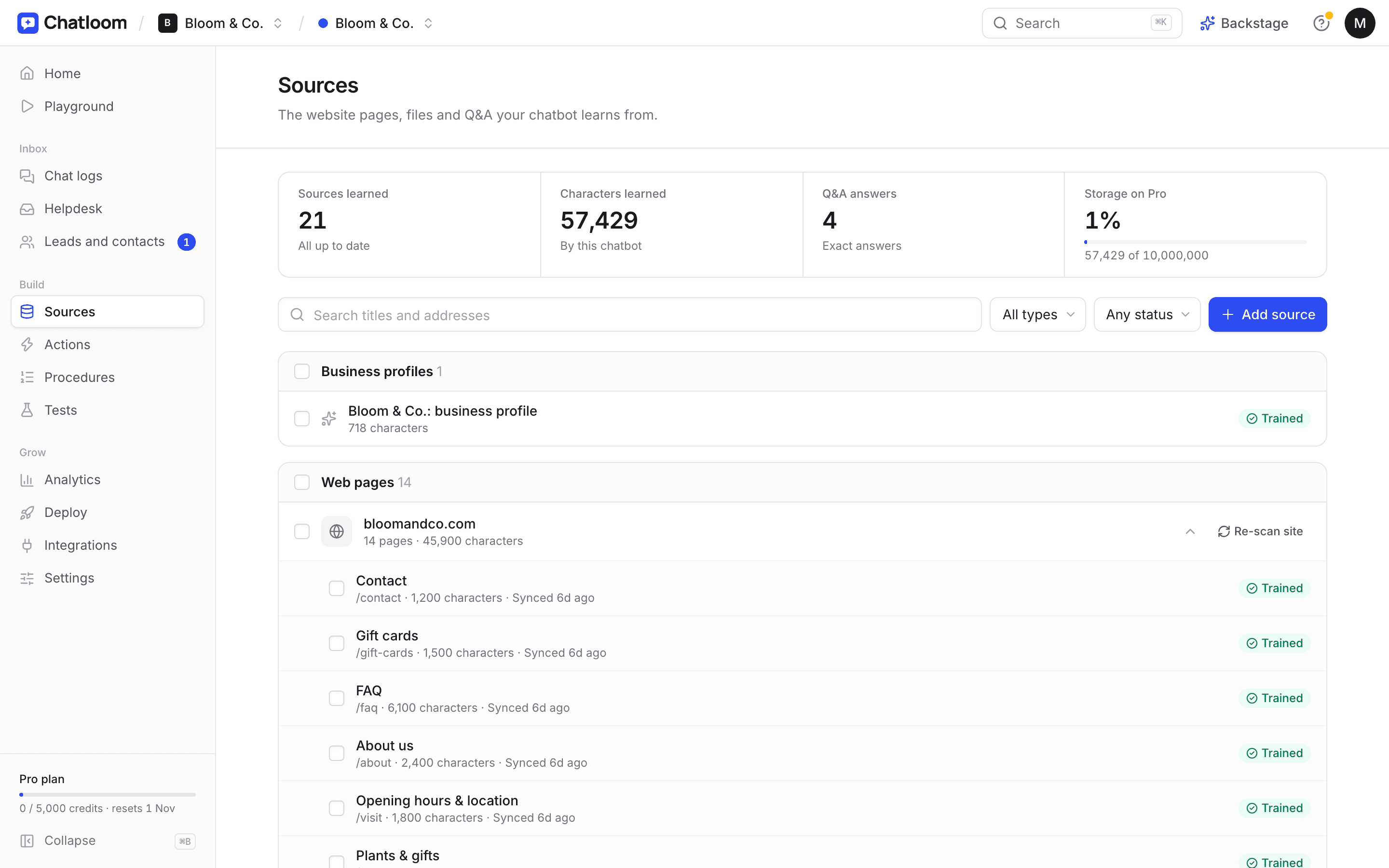
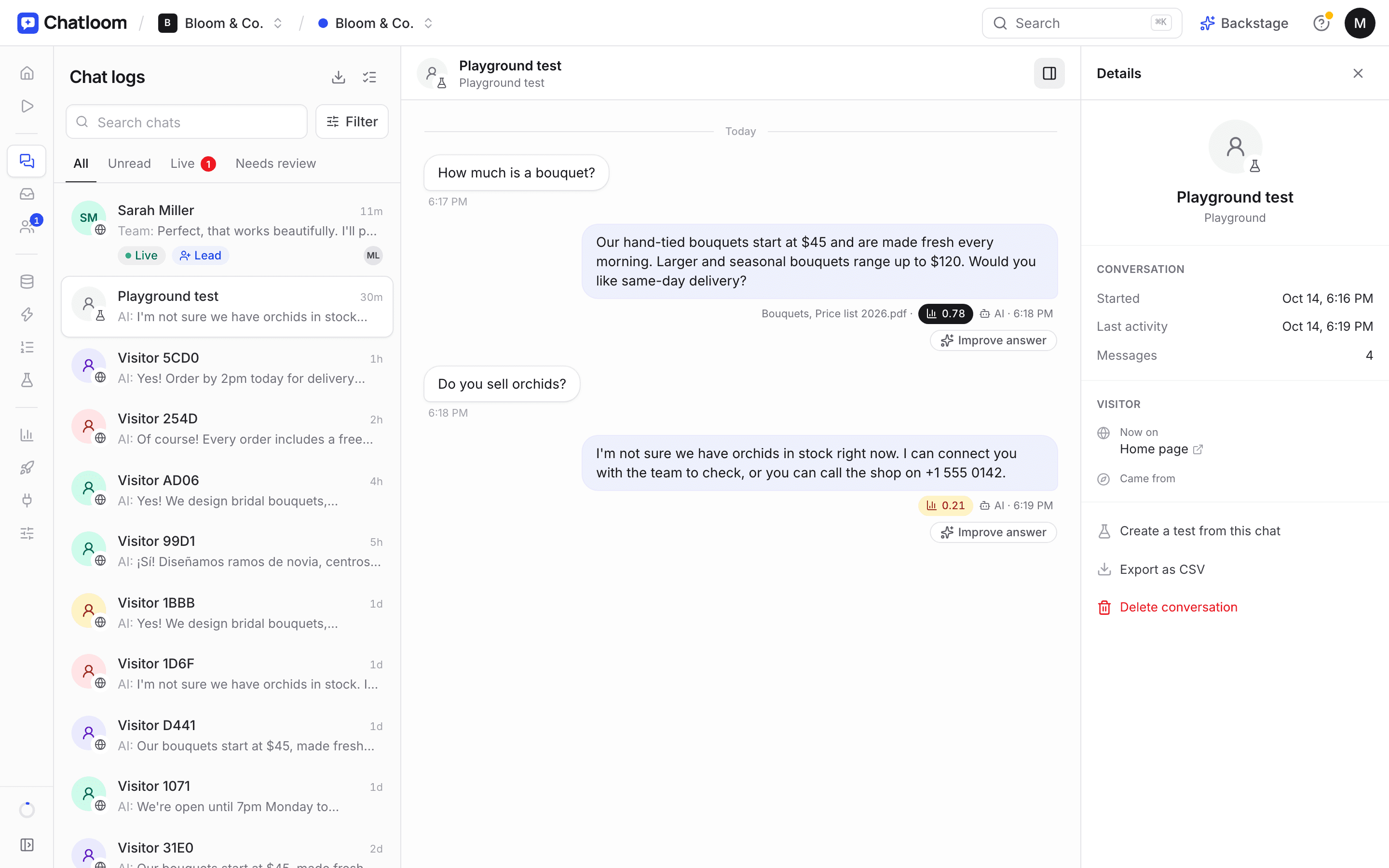
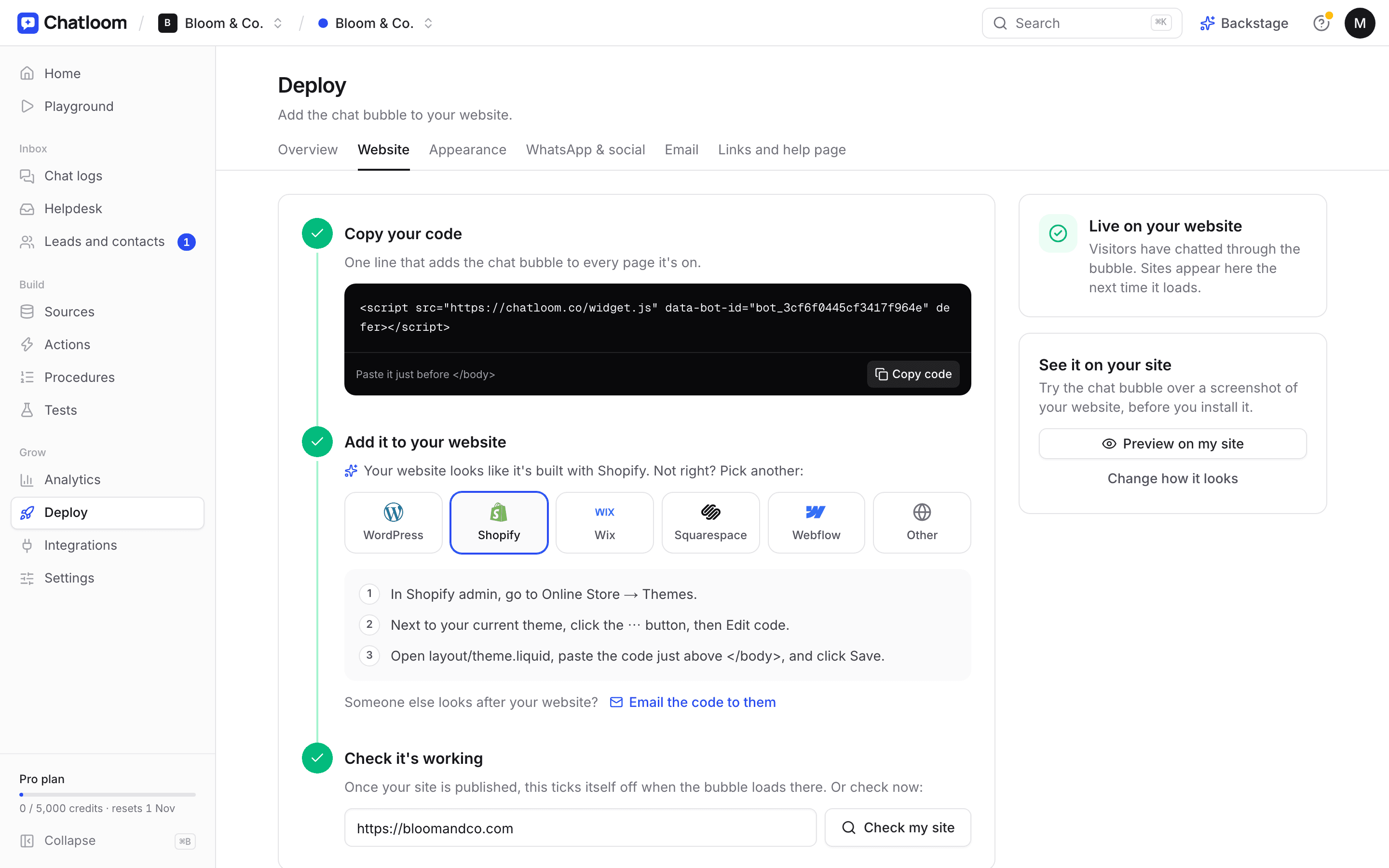
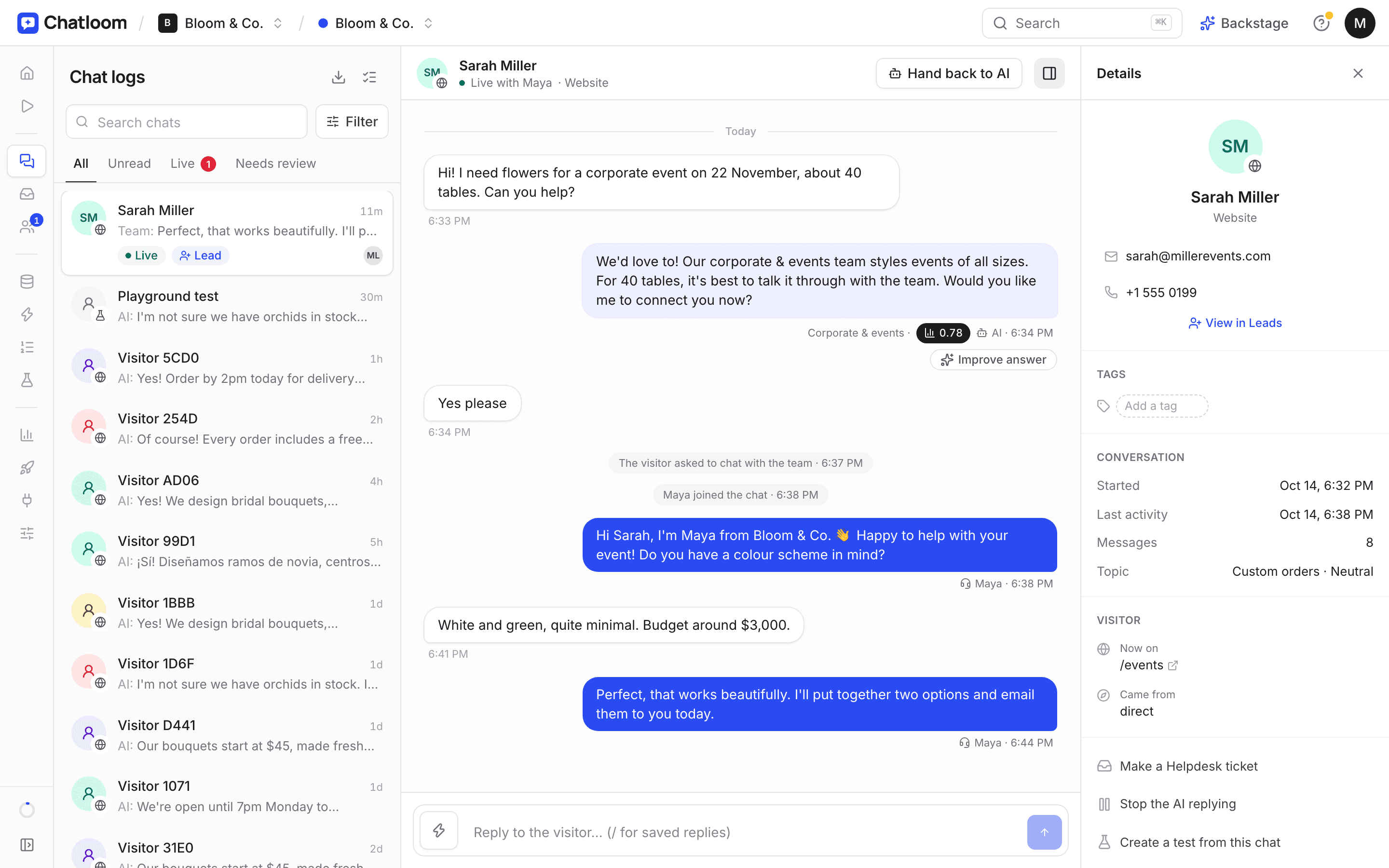
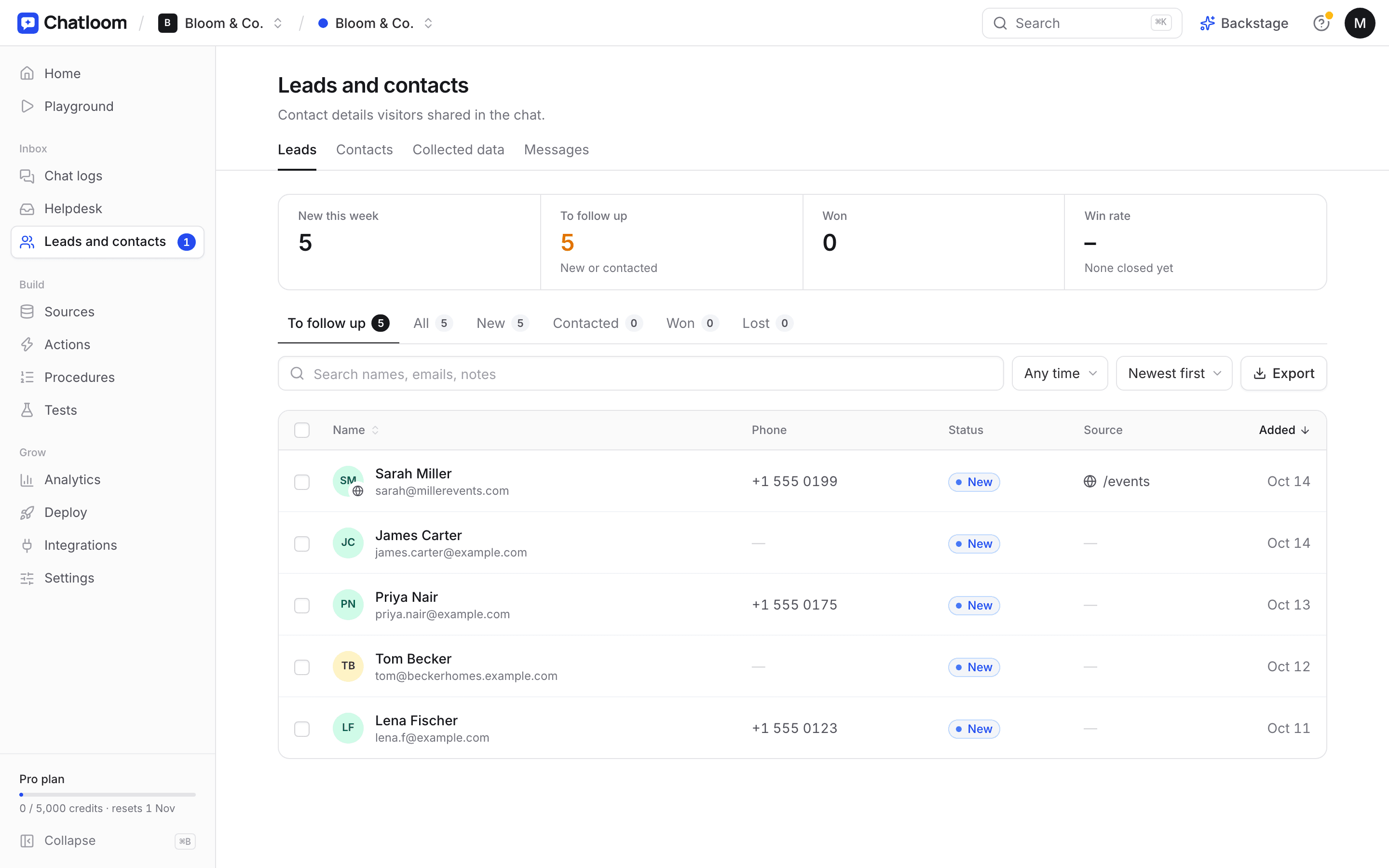
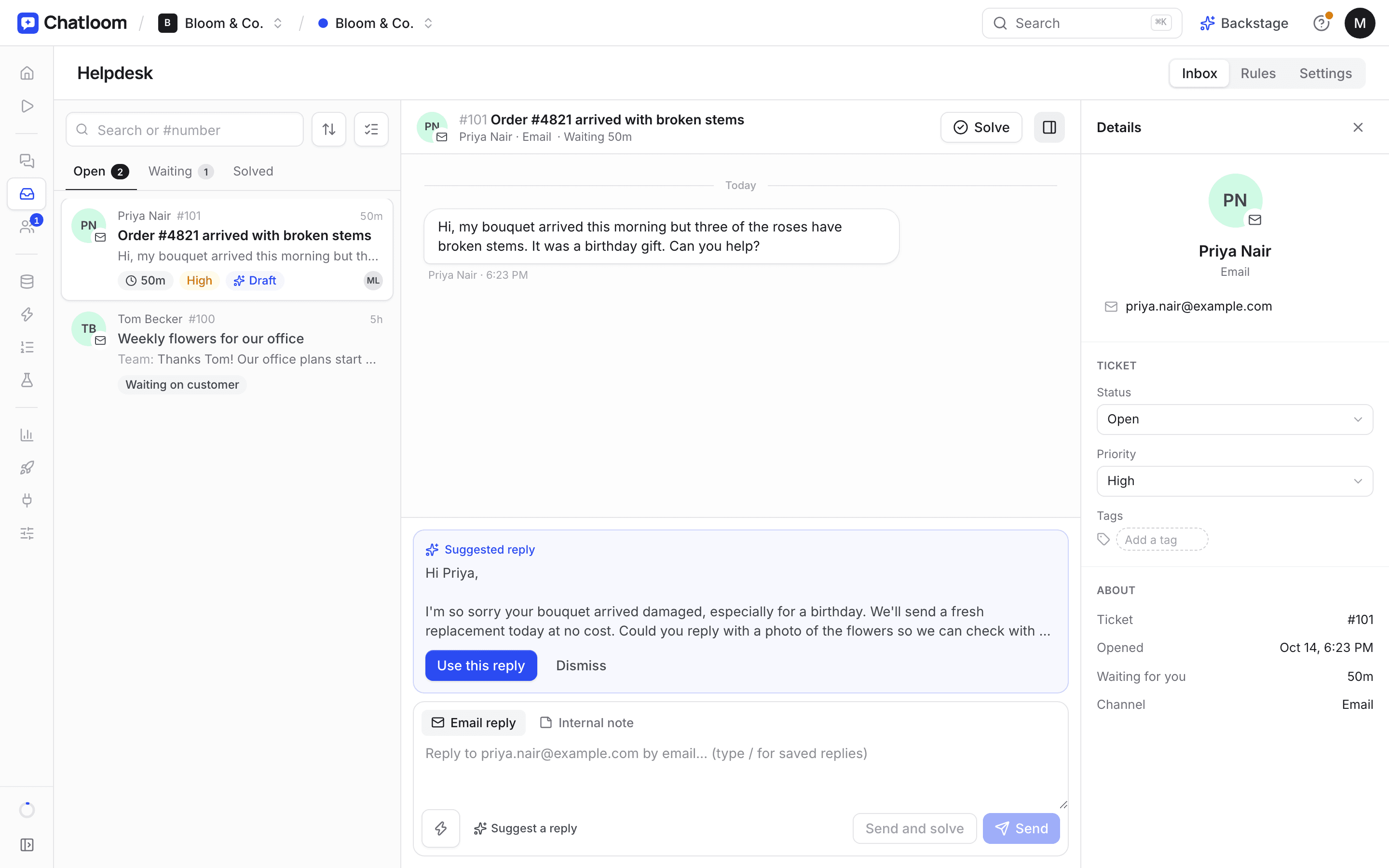
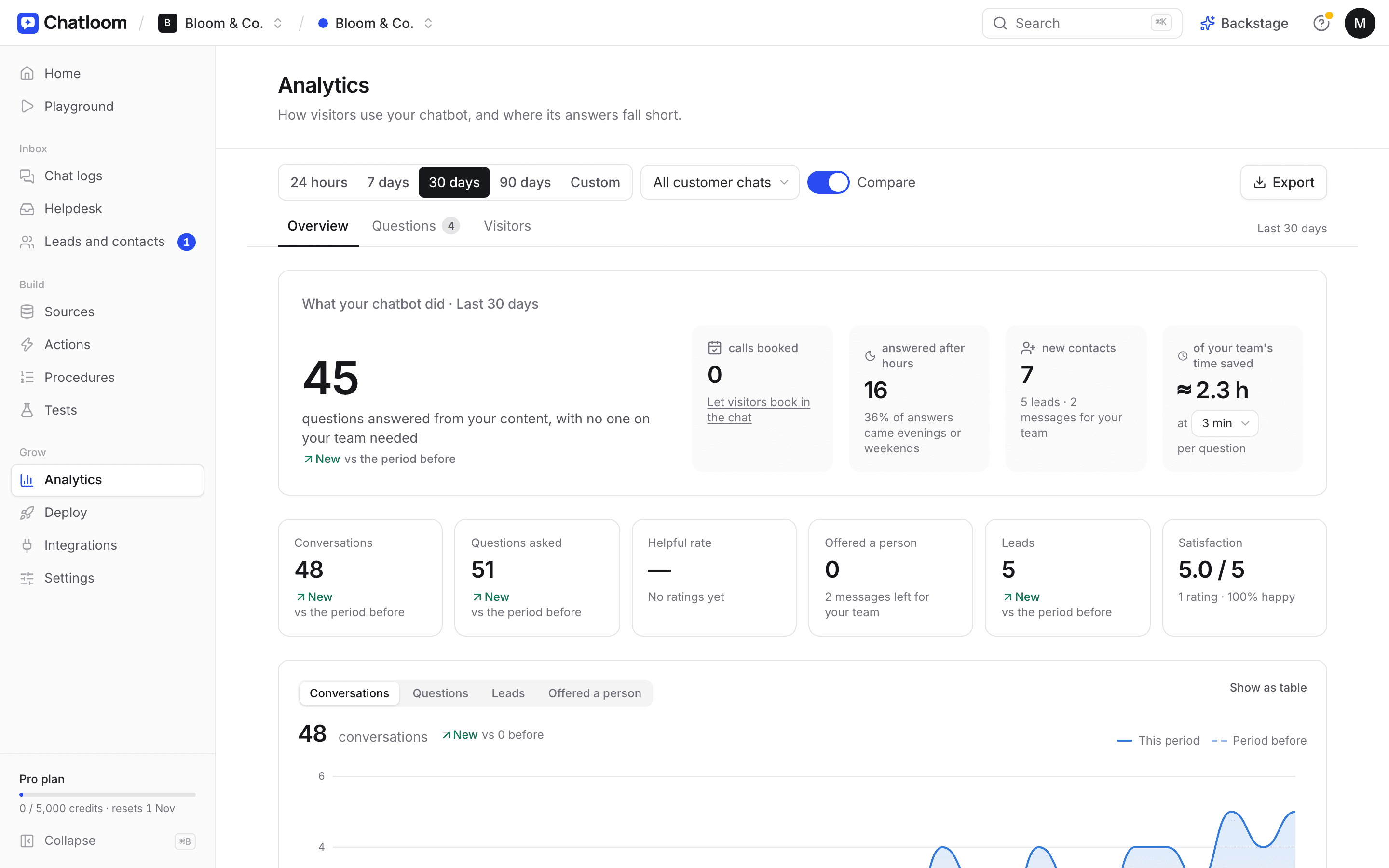
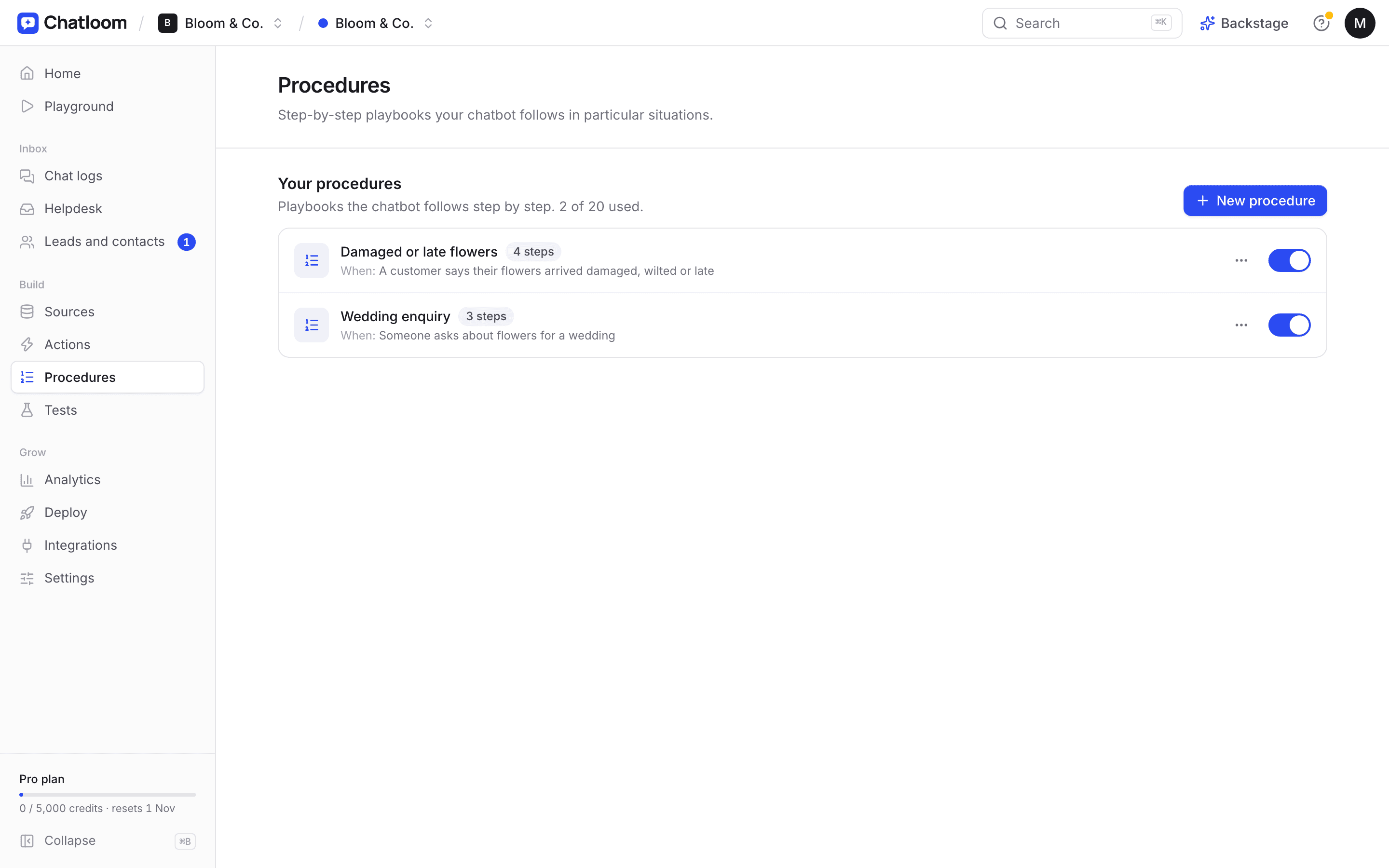
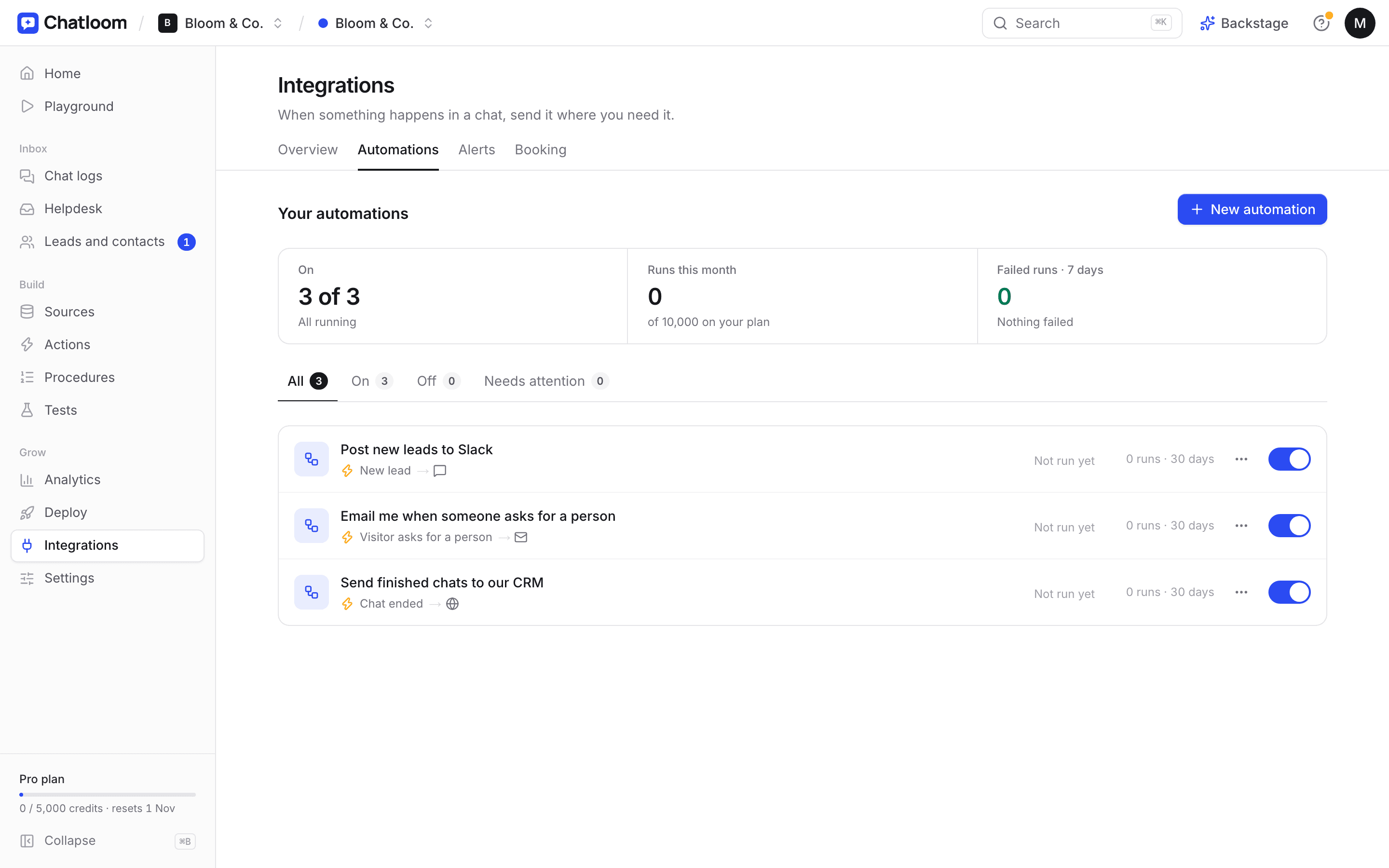
Screens from a demo workspace for a made-up florist.
Why Chatloom
Your best support person. Not a script of canned replies.
Chatloom understands your business, answers like you would, and knows when to hand over.
AI answers & training
Learns your business in minutes
Paste your website and Chatloom reads every page, then writes a profile of your business for you to check. Add price lists, policies and your own Q&A.
- Answers come only from your content, with a link to the page
- Says so when it doesn't know, instead of guessing
- Fix any answer in two clicks, and it remembers
Live chat & handoff
A real person, the moment it matters
When a customer needs your team, Chatloom offers WhatsApp, phone, email or a message form, or connects them to whoever is online for a live chat.
- Alerts by email, Slack or phone when someone's waiting
- One inbox for your team, with assignments and tags
- Saved replies, typing indicators and visitor details
Integrations
Books calls and keeps you in the loop
Connect Cal.com or Calendly and visitors pick a time without leaving your site. New leads, bookings and requests for a person reach you in Slack, HubSpot or by email.
- Cal.com and Calendly bookings in the chat
- Slack, HubSpot, Google Sheets and webhooks
- Step-by-step install for every website builder
Analytics & insights
See what your customers actually want
Every chat is labelled by topic and mood. See what people ask most, how satisfied they are, and which questions your content couldn't answer, with a button to fix each one.
- Topics, mood and satisfaction ratings
- Unanswered questions with Fix with AI
- A weekly report in your inbox every Monday
How it works
Live on your website before lunch. Three steps, no code.
- 01
Paste your website
Chatloom reads your pages and writes a business profile. Check it, add files or Q&A, and save.
- 02
Make it yours
Your colours, logo and welcome message, and how customers reach your team. Test it in the playground.
- 03
Add one line of code
Step-by-step help for WordPress, Shopify, Wix, Squarespace and Webflow, then a check that it's working.
And much more
Everything a small business needs. Built in, no add-ons.
12 languages
Replies in your visitor's language; buttons and labels follow, right to left where needed.
Lead capture
Names, emails and phone numbers, with a simple pipeline: new, contacted, won or lost.
Alerts everywhere
New leads, bookings and people waiting, by email, in Slack, or as a phone notification.
Signed-in customers
Your site tells the chat who's logged in, so customers are never asked for their details twice.
Help centre page
A branded page where customers ask anything and browse your answers. Link it from your menu.
Your brand
Your colour, logo, welcome message and greeting. Remove Chatloom branding on Pro.
Built for teams
Owners, admins and members, shared inbox, assignments, tags, saved replies and an activity log.
Privacy tools
Chat retention, a visitor's data found, exported or deleted in seconds, and a privacy notice in the chat.
Security & privacy
Your customers' trust, protected.
Designed around privacy laws like the GDPR and the UAE's PDPL, with the tools to prove it.
Encrypted
In transit and at rest
Never used for training
Your chats don't train AI models
Your retention
You choose how long chats are kept
Privacy requests
Find, export or delete a visitor's data
Audit log
Every view of customer data is logged
DPA included
A Data Processing Agreement for everyone
Pricing
Start free. Upgrade when you're busy.
Simple plans, monthly or yearly with 2 months free. No setup fees, cancel any time.
Free
$0 /month
100 message credits · 1 chatbot
Starter
Most popular$19 /month
2,000 message credits · 3 chatbots
Pro
$49 /month
5,000 message credits · 10 chatbots
FAQ
Questions, answered
Something else? Get in touch.
Do I need to know how to code?
No. You paste one line of code into your website, and Chatloom shows you exactly where for WordPress, Shopify, Wix, Squarespace and Webflow. You can also email the code to whoever looks after your site.
Where do the chatbot's answers come from?
Only from what you give it: your website, files, text and Q&A. It's told to say when it doesn't know rather than guess, and you can correct any answer in two clicks.
Which AI does Chatloom use?
Claude, from Anthropic. You can choose between faster and more capable models for each chatbot.
Can it hand over to a real person?
Yes. Visitors can reach you on WhatsApp, phone or email, leave a message, or chat with your team live while someone is online. You get an alert either way.
What happens when I run out of message credits?
Your chatbot pauses until your credits reset (each month on your billing date, or on the 1st on the Free plan), and we warn you before that happens. You're never charged extra without upgrading.
Is my customers' data safe?
Data is encrypted in transit and at rest, you choose how long chats are kept, and you can delete any visitor's data at any time. We never sell it or use it to train AI models.
Can I cancel any time?
Yes. Cancel in Billing whenever you like; you keep your plan until the end of the period you've paid for.
Your website, answering customers tonight.
Set up your chatbot in minutes. Start free, no card needed.