When customers have a question on your website, they want an answer now. There are two main ways to give them one: live chat, where a person replies, and an AI chatbot, where software replies for you. Both put a chat box on your site, but they solve different problems.
This guide explains what each one does, where each is stronger, and how to decide which your business needs.
The short answer
- Live chat is best when every conversation needs a person: complex sales, sensitive situations, or very few chats a day.
- An AI chatbot is best when you get the same questions again and again, or when customers visit outside your working hours.
- Most small businesses do best with both: the AI answers the routine questions instantly, and hands the rest to a person.
What live chat is
Live chat is a chat box on your website that connects visitors to a real person on your team. You answer from a dashboard or a phone app, like messaging.
Where it shines:
- Every answer has a human touch.
- It handles complicated or emotional conversations well.
- It's great for closing sales, when someone is close to buying and has one last question.
The catch: someone has to be there. When nobody's online, live chat becomes a contact form, and the customer waits until you're back.
What an AI chatbot is
An AI chatbot answers customers automatically. Modern AI chatbots don't follow rigid scripts. They read your website and documents, then answer questions in natural language, the way a well-informed employee would.
Where it shines:
- It answers instantly, day and night, including weekends.
- It handles many conversations at once.
- It never gets tired of answering "what time do you close?"
- It can reply in the customer's own language.
The catch: it only knows what you've told it. It can't make judgment calls the way a person can, and some customers simply want to talk to a human.
A good AI chatbot says "I'm not sure" when the answer isn't in your content, instead of guessing. When you compare tools, test this on purpose.
Side by side
| Live chat | AI chatbot | |
|---|---|---|
| Available | When your team is online | Day and night |
| Reply speed | Depends on who's free | Seconds |
| Many chats at once | Limited by team size | Yes |
| Repetitive questions | Takes your time | Handled automatically |
| Complex or sensitive questions | Strong | Should hand over to a person |
| Personal touch | Strong | Friendly, but not personal |
| Cost | Mostly your team's time | A monthly subscription |
| Setup | Quick | Quick, plus time to test answers |
When live chat alone makes sense
Live chat on its own can be the right choice if:
- You get only a handful of chats a day, and you're always around to answer.
- Most questions are unique, so there's little to automate.
- You sell high-value services where every conversation is a personal sales conversation.
Even then, think about what happens at night and on weekends. Those visitors still have questions.
When an AI chatbot makes sense
An AI chatbot is worth it if:
- You answer the same questions every day: prices, hours, location, policies, availability.
- Many visitors come in the evening or on weekends.
- You're busy serving customers in person and can't watch a chat window. Think clinics, restaurants or estate agents.
- Your customers speak different languages.
The best of both: AI first, people when it matters
The setup most small businesses end up with is a hybrid:
- The AI answers first. It handles the routine questions instantly, any time.
- It recognises when a person is needed. When a customer asks for someone, gets frustrated, or asks something the AI can't answer, it offers a human.
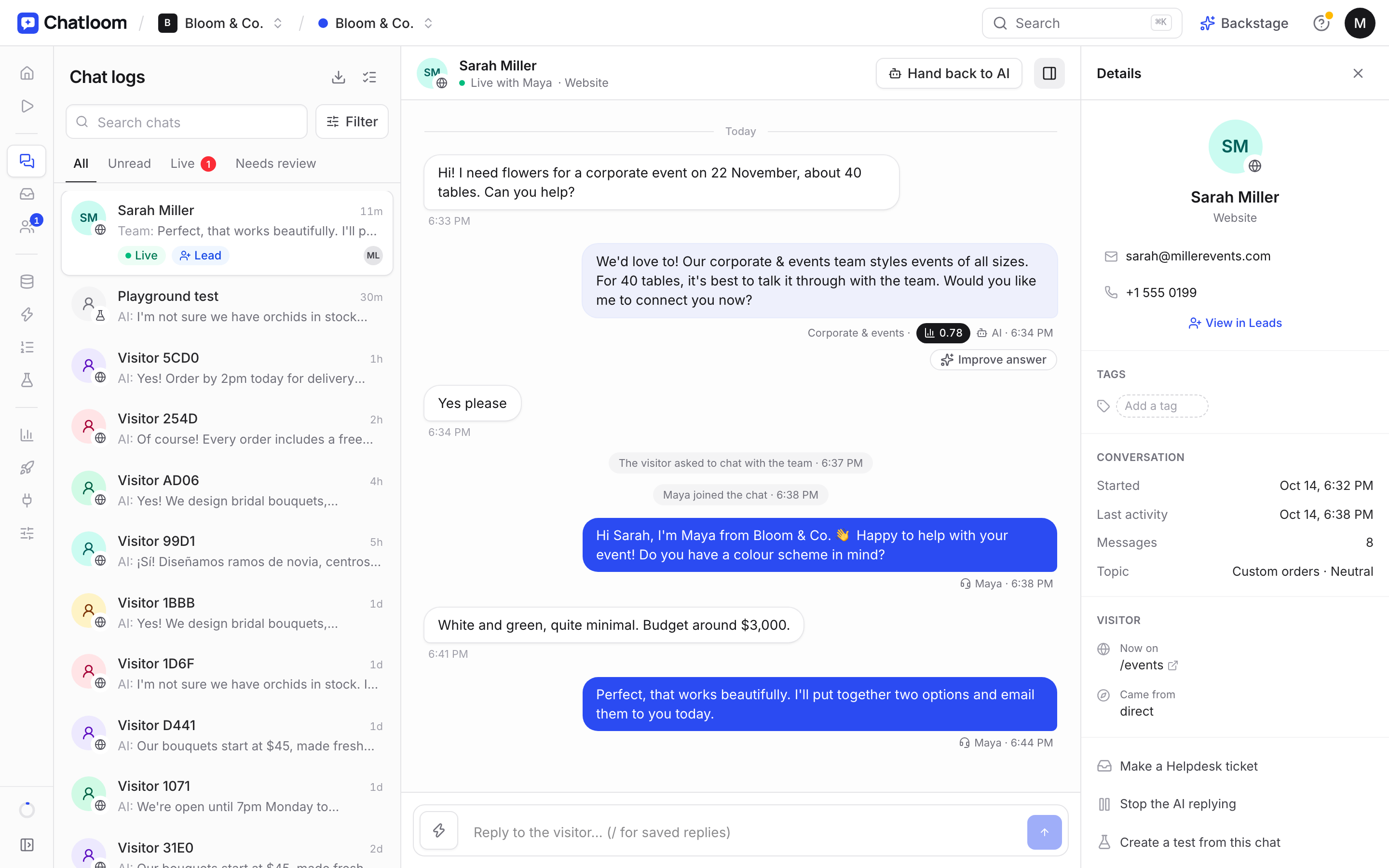
- A person takes over. Your team picks up the conversation in live chat, or the customer is connected on WhatsApp, by phone or by email.
- Nothing gets lost. When nobody's available, the AI collects the customer's details so you can follow up.
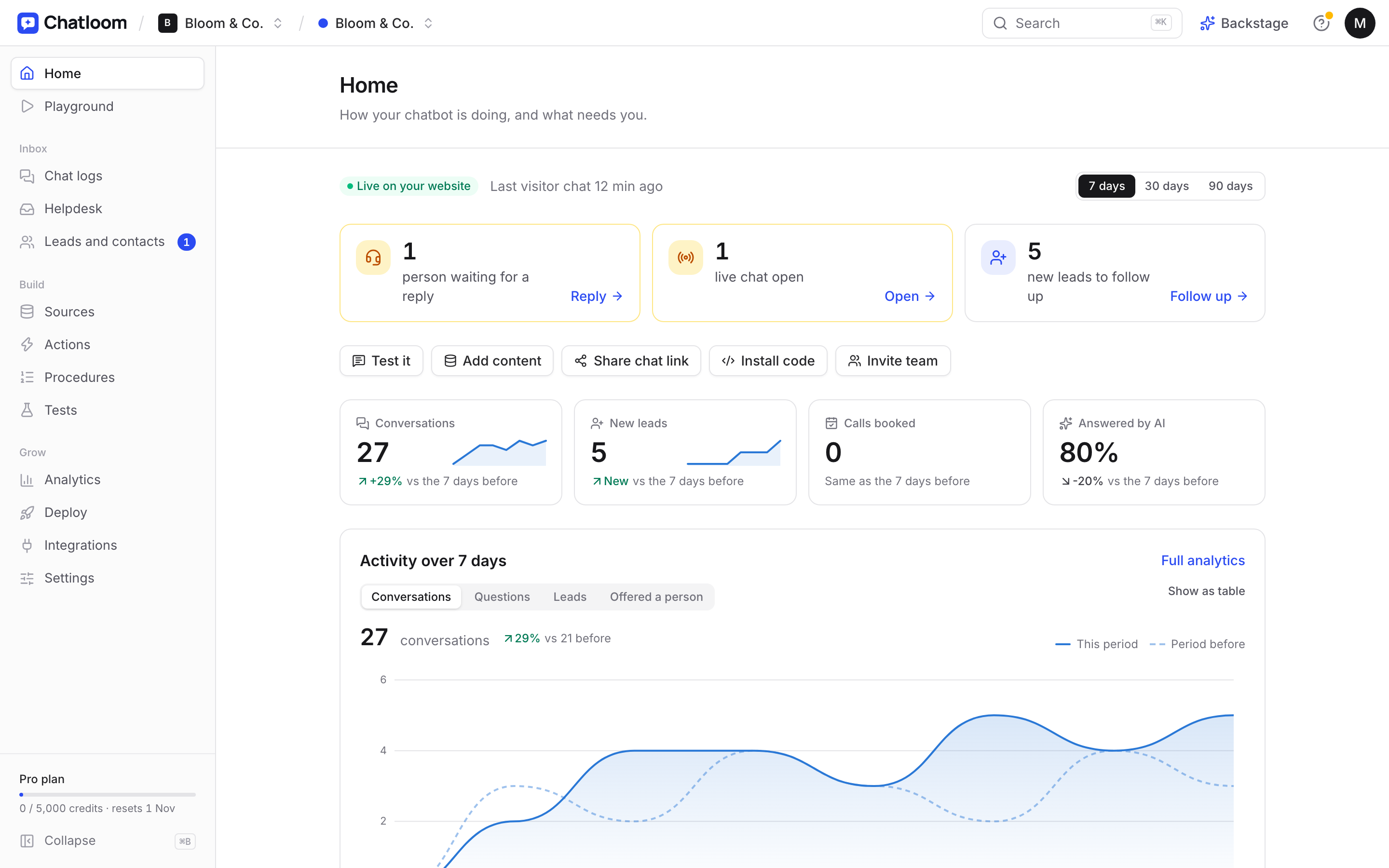
This gives customers instant answers to simple questions and a real person for the rest, without someone watching the chat all day.
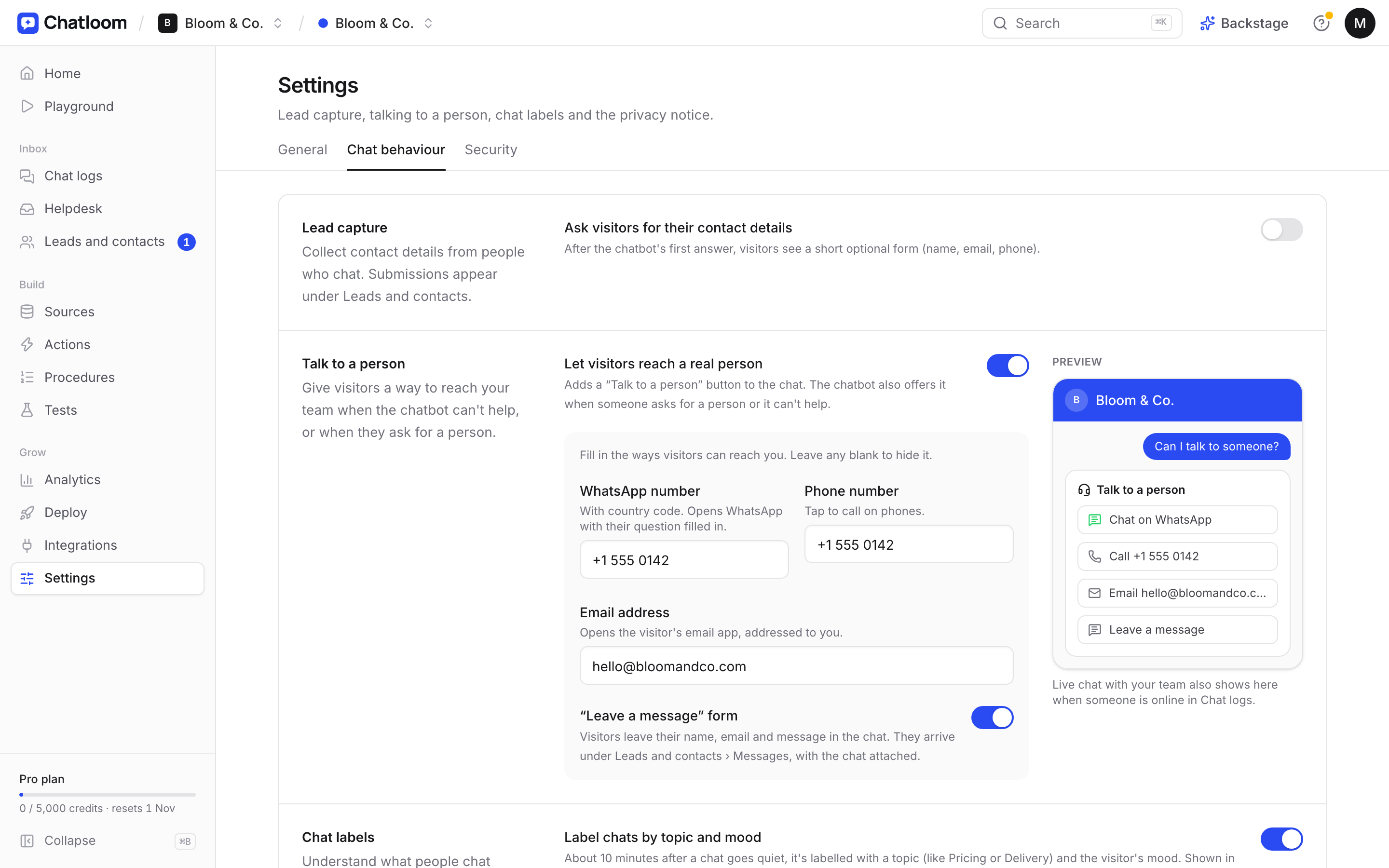
In Chatloom, this is how it works out of the box: the AI answers from your content, and live chat and handoff bring your team in when it matters.
How this looks in different businesses
The right mix depends on how your customers contact you. A few typical examples:
A dental or medical clinic
Patients ask about treatments, prices, insurance and opening hours, often in the evening when reception is closed. The AI answers these and books appointments; anything about symptoms, pain or treatment advice goes straight to the clinic team. Reception spends less time on the phone and more time with patients in the clinic. (See chatbots for dental clinics.)
A restaurant or café
During service, nobody can answer messages. The AI handles opening hours, menu, dietary questions and directions, and sends guests to the booking page. Event and large-group enquiries are collected with the guest's details, and complaints are passed to the manager. (See chatbots for restaurants.)
An estate agent
Buyers and tenants browse listings at night. The AI answers questions about availability, fees and areas from the website, collects the visitor's budget and phone number, and books viewings. When someone is ready to talk, an agent takes over in live chat or on WhatsApp. (See chatbots for real estate.)
An online store
Shoppers ask about shipping, returns and sizes before they buy, often from other countries and time zones. The AI answers from the store's policy and product pages in the shopper's language; order problems and complaints go to a person.
In each case, the pattern is the same: the AI takes the repetitive, predictable questions, and people handle the conversations that need judgment.
A quick way to estimate the time you'd save
You don't need exact numbers. Look at the last month and estimate:
- How many questions you answer by chat, email, phone and social messages.
- What share are routine: questions whose answer is already on your website or that you've answered many times.
- How long each takes you, including the interruption.
Multiply routine questions by minutes per question. That's roughly the time an AI chatbot could give back to you each month, before counting the questions that arrive while you're closed.
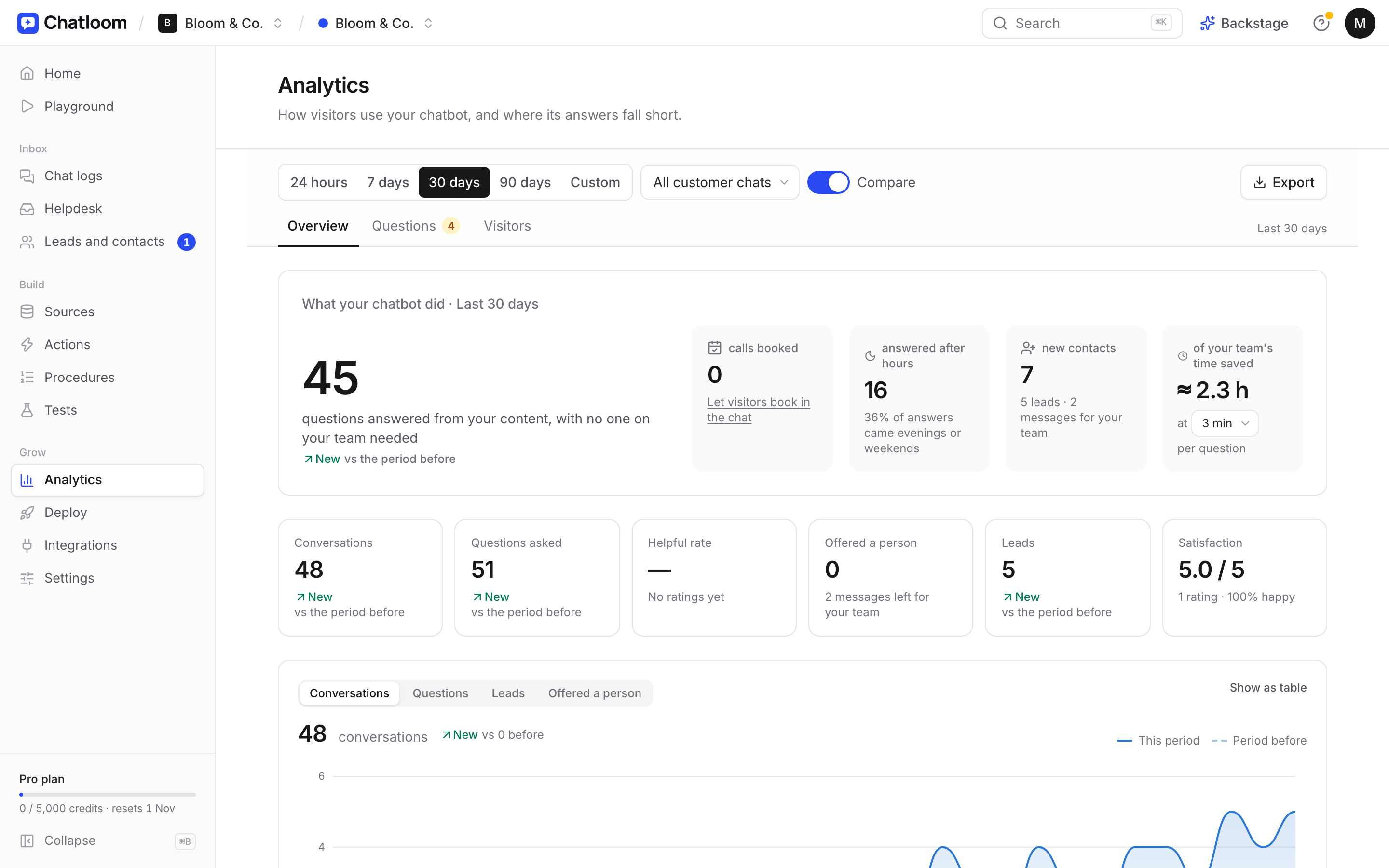
Questions to ask before you choose a tool
- Does it learn from my website, or do I have to write every answer?
- Does it show where each answer came from?
- What happens when it doesn't know the answer?
- Can my team take over a conversation, and get alerts when needed?
- How is it priced: per month, per seat, or per conversation?
- Is there a free plan or trial long enough to test with real questions?
The bottom line
Live chat gives customers a person; an AI chatbot gives them an instant answer. For most small businesses, the right question isn't "which one?" but "how do I combine them?": let the AI handle the routine, and save your time for the conversations that need you.
If you want to try the hybrid approach, Chatloom's free plan includes the AI chatbot, and live chat is included from the Starter plan.
Questions
Is an AI chatbot better than live chat?
Neither is better in every case. An AI chatbot is better for instant, round-the-clock answers to common questions; live chat is better for complex or personal conversations. Most small businesses combine them: the AI answers first and hands over to a person when needed.
Can an AI chatbot hand over to a human?
Good ones can. The chatbot recognises when a customer needs a person, then lets your team take over in live chat, or connects the customer by WhatsApp, phone or email.
Will customers be annoyed talking to a bot?
Customers mostly get annoyed when a bot can't help and there's no way to reach a person. A chatbot that answers accurately and offers a human when needed usually feels faster than waiting for a reply.